Launch from one library
Bring together supported games from Steam, Xbox, Epic, EA, Ubisoft and GOG. Add local games manually.
 Intermission
Intermission for Windows 11
Bring your PC games together. Find something to play with friends. Build a character that changes as you level up.
Already installed? Get the latest version inside the launcher.
Your games keep their original launchers. Intermission gives you one place to find them, see what’s running and track your time.
Bring together supported games from Steam, Xbox, Epic, EA, Ubisoft and GOG. Add local games manually.
Running covers are highlighted. Supported games can be tracked even when started outside Intermission, with a Stop control in game details.
Library time is shown in minutes. Imported totals and time recorded by Intermission stay distinct.
When an update can be detected, the library points you to the game’s own launcher to install it.
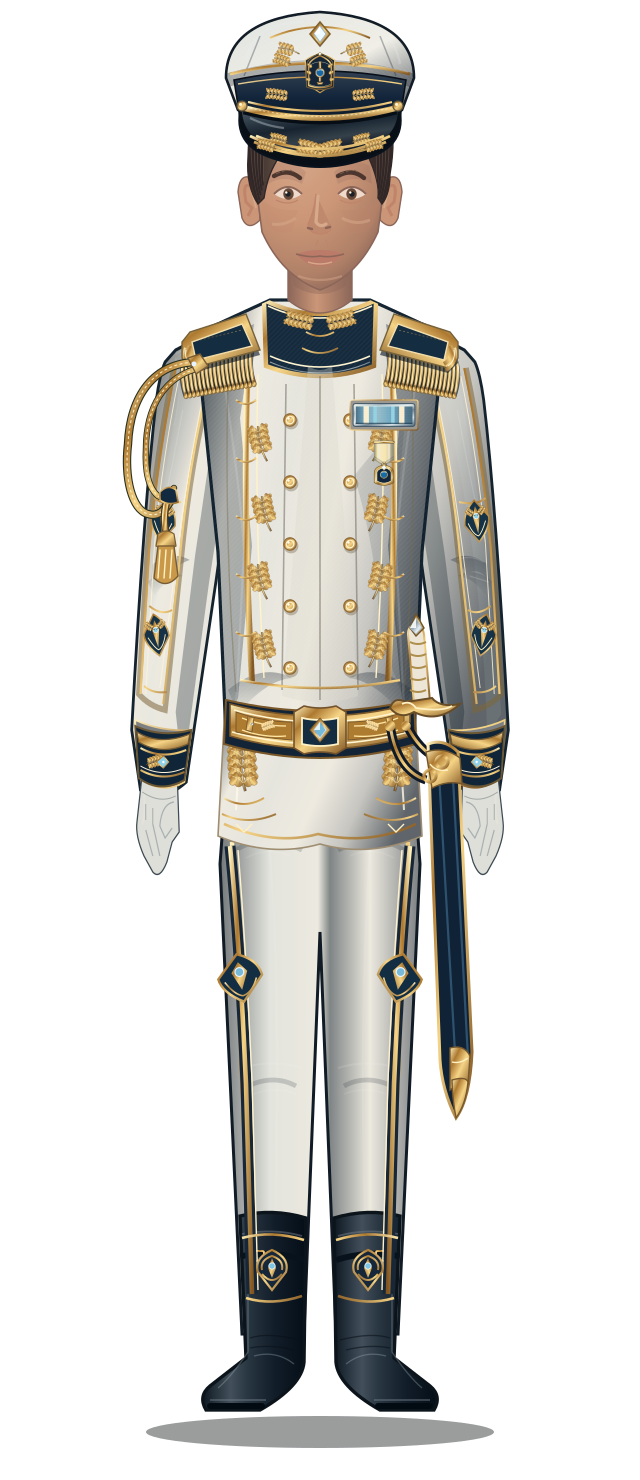
From service dress to Crown Command, each milestone opens more ways to customise your character.
Choose a branch, tailor your appearance, and equip unlocked headgear, insignia, medals, avatar borders and effects. Preview higher ranks before you reach them.
30 minutes played gives 60 minutes toward levelling. Your library still records the real 30 minutes.
Use the large character preview to compare uniforms, headgear and decorations. Earlier unlocked items remain available as you progress.
Shared games starts off. Enable it in Friends settings when you want to compare libraries with friends and fellow Squad members.
Latest release
Cover art and direct launching in a cleaner Shared games panel.
Your installed app checks for updates. A valid saved session restores your account after restarting.
Play from Shared games

Cover art and direct launching in a cleaner Shared games panel.

Added
- Game covers and Play buttons in Shared games. Launch your local copy using saved launch settings, or choose a launcher when multiple copies are available.

Improved
- Compact player status rows, a single game count, and sync details tucked away under Sharing & sync.
- Shared games checks the current installation and running sessions before launching. Games unavailable on this PC cannot be launched from another device’s snapshot.

Fixed
- Trademark symbols no longer prevent otherwise identical titles matching across libraries.
SHA-256
7dcbf0b9a7eeb331cdae18ca12c43ee1fa2780d492e5197ef4dee1ec65bbf227No. Games still use their original launchers and accounts when required. Intermission brings discovery, launching, tracking and social features into one interface.
Yes. Use the same account on the website and in the app. Character, rank and social features connect to that account; game files remain on each PC.
No. A valid session is saved encrypted for your Windows user. You’ll need to sign in again if you sign out, the session expires or it is revoked.
Library sharing is limited to friends and fellow Squad members. It is optional and disabled by default, with support for up to 2,000 visible store-game entries per device.
Public code signing is not yet configured. The updater separately verifies the signed release metadata and installer hash before installing.
A place for
your regulars.
Friends & Chat opens in its own window. Keep the list compact, expand a conversation, and resize the panels to fit your screen.
Find your friends
Exchange a name and tag, send a request, then chat with emoji and message reactions. Profiles show each person’s character, branch, rank and level.
Make a Squad
Choose an emblem and colours. Invite friends, appoint Co-leaders, and transfer leadership when it’s time to hand over.
Find games in common
Compare libraries from a friend’s profile or Squad. See who has a game installed or is playing, then launch your own copy straight from its cover card.
How sharing works